
USFans Spreadsheet · Guides
USFans Tracking: Follow One Parcel, Not Several Similar Statuses
Match USFans tracking references to the correct parcel, compare event timestamps and distinguish missing updates, transport events and delivery estimates.
To track a USFans parcel, begin with the tracking reference associated with that parcel in your account. Keep it separate from the product order reference and from any domestic shipment that brought the goods to the warehouse. Otherwise, you may be reading accurate information about the wrong journey.
Open Tracking Details for the selected parcel in your USFans account, the entry described in the help instructions checked on 30 September 2026. Keep the full reference and shipping label private when asking others for help; the product shortlist cannot retrieve that account record.
On this page
Establish the parcel before interpreting the event
Check which items the parcel contains, its destination and the carrier context shown with its reference. If you placed several purchases, do not assume that one tracking number covers every item in the account.
A product that has reached the warehouse may still be outside an international parcel. The order-status guide separates product, payment and parcel records; the warehouse guide explains the decisions before shipment.
Copy the reference carefully rather than retyping it from a cropped picture. If there are multiple references, preserve the labels explaining them. A change of carrier or reference should be supported by the shipment record, not guessed from a number's appearance.
Keep the event text and event time together
Record the latest event exactly enough to distinguish it from an estimate. A useful private timeline contains the carrier or source, event description, event timestamp and any location actually provided.
The time you refreshed the page is not necessarily when the event occurred. If two displays appear inconsistent, compare their event times and any stated time zones before deciding that one has moved backwards. Do not assign a time zone when none is shown.
Similarly, a number being generated is not the same observation as a carrier recording collection. Look for the event that actually describes acceptance or movement rather than assuming that any visible number means the parcel is already in transit.
Read a quiet interval in context
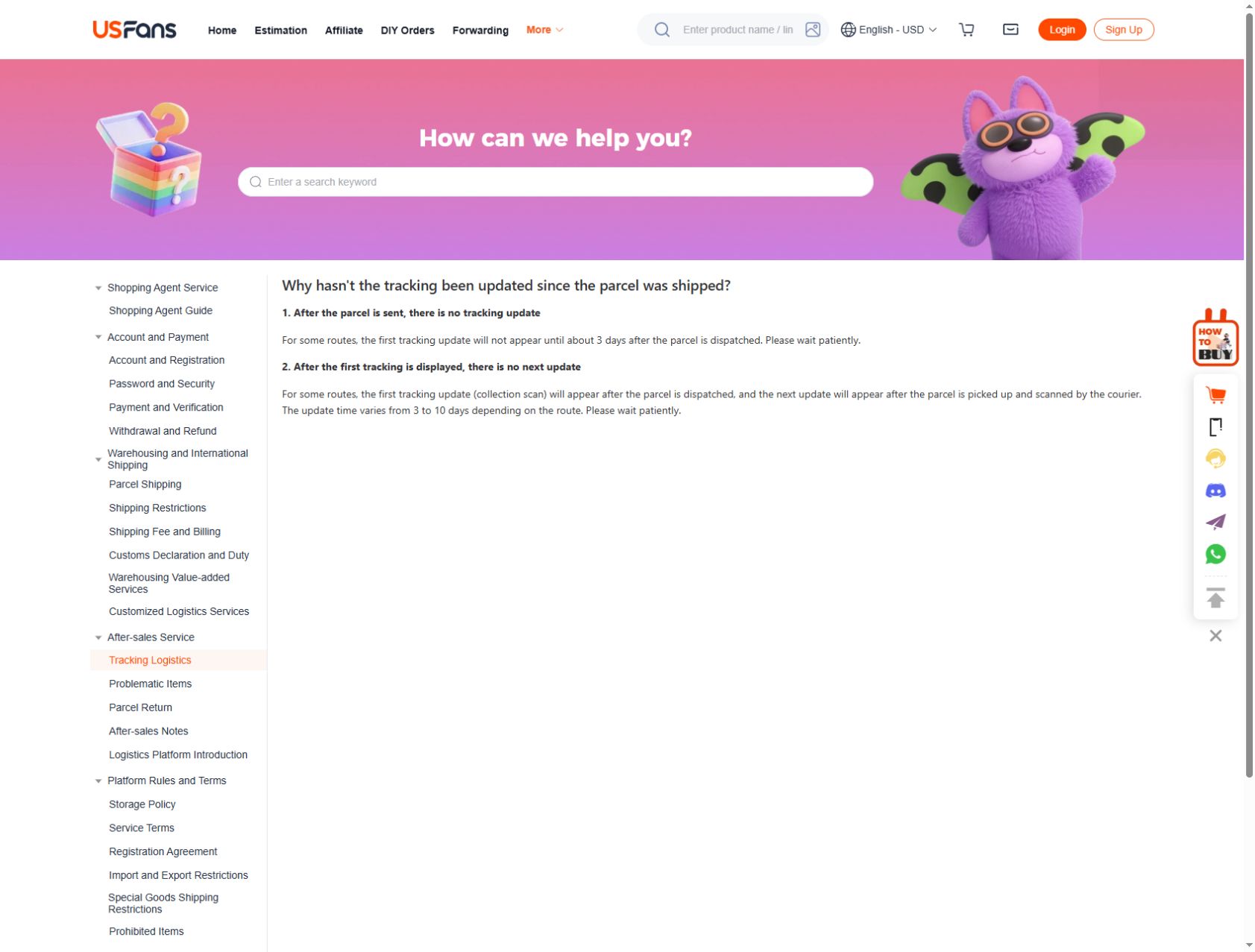
The tracking guidance checked on 30 September 2026 describes about three days before the first update on some routes, and a route-dependent gap of three to ten days between an initial collection scan and a later update. These are examples of tracking-update intervals, not delivery promises or a rule to wait despite an exception message.
Before asking about an unchanged record, determine whether there has been a carrier acceptance event, what the last event says and whether the current record asks you to take action. A gap alone does not prove loss, successful delivery or completion of a customs stage.
If you have a specific exception message, keep it with the reference and ask about that message. Avoid replacing it with a broad conclusion such as “the package is gone.” Our support guide explains how to make the enquiry specific.
When the account and carrier display differ
A timeline example without guessing the location
Consider this invented pair of records for the same parcel. The numbers are only a time-conversion example, not a USFans shipment history.
Swipe sideways to compare all columns.
| Display | Event time shown | Equivalent UTC time |
|---|---|---|
| Record A, explicitly marked UTC+8 | 12 September, 09:00 | 12 September, 01:00 |
| Record B, explicitly marked UTC+2 | 12 September, 04:30 | 12 September, 02:30 |
Record B is one hour and thirty minutes later, although its displayed clock time looks earlier. You can make that comparison because both offsets are specified. A country name alone is not enough to assign an offset to an unlabeled timestamp.
The conversion tells you the order of these two recorded times, not whether the parcel changed carrier or completed a particular stage. Keep the actual event descriptions beside the times. If one field is a page-refresh time instead of an event time, it should not be used to order the shipment events.
For your own record, add a separate “checked at” field when useful. That preserves the distinction between an event reported yesterday and a page you viewed today, without inventing a new movement.
Take note of both sources and their event times. One may show a summary while the other presents more detailed events, but do not assume that explanation without comparing the actual records.
Check that the reference and journey are the same. If the account refers to a parcel and the other page refers to a different domestic shipment, comparing the timestamps will not resolve the mismatch.
If the references match but the difference remains important, ask which event represents the current stage. Keep the reply for later follow-up instead of repeatedly opening new enquiries without the earlier context.
Separate a delivery estimate from a delivery event
An estimated date concerns a possible future outcome; a recorded event describes something reported to have happened. They should not be entered as the same kind of row in your timeline.
For planning, read the delivery-time guide to establish when the estimate begins. For a parcel reported as delivered that you cannot locate, inspect the available delivery details and raise the specific discrepancy through the appropriate channel. Do not infer from the status alone where the parcel was left or who received it.
Keep any useful delivery information private. If you share a screenshot for advice, remove names, addresses and reference details not needed to explain the question.
Product browsing does not retrieve an existing shipment
Inspect the wide-leg denim candidate on OG if you are looking for a product to compare. That public listing does not retrieve the shipping record for a purchase you already made. Use your private parcel record for that purpose.
Likewise, returning to the USFans spreadsheet collection can help you organise future finds, but it will not change an existing shipment. Keep the shortlist and parcel timeline separate so that a new product choice does not obscure an unresolved order question.
Prepare one clear follow-up
Before contacting support, gather the parcel reference, last event, its timestamp and the question you need answered. For example, ask whether the recorded event confirms physical handover, rather than asking for a general explanation of all shipping stages.
Include relevant earlier replies if you are following up. Avoid sharing passwords, verification codes or payment credentials. If the issue may affect a return or other request, check the applicable process without assuming that a tracking status automatically grants a remedy. The returns guide addresses those separate questions.
Frequently asked questions
Can I track a product link?
A product link identifies an offer, not your parcel. Use the shipment reference associated with the relevant account record.
Does no new scan mean the parcel has not moved?
The displayed history only establishes the events reported there. Ask about the specific stage when clarification is needed rather than treating a missing scan as proof of a particular physical location.
Should I use a carrier suggested by another buyer?
Use the carrier information associated with your own shipment. Another buyer's route does not establish yours.
Can I calculate arrival from the first scan alone?
A single event is not a complete delivery forecast. Consider the actual route information and current estimate, keeping both distinct from completed events.