
USFans Spreadsheet · Guides
Other USFans Finds: Separate Building Sets, Bags and Clothing Searches
Organise USFans building-set, bag and clothing searches by exact item, selected contents and relevant dimensions instead of comparing unrelated product photos.
A broad USFans search can bring together products that need very different comparisons. Building-set contents, backpack dimensions and clothing sizes cannot be judged with the same checklist. Identify the kind of item you want before adding a result to your USFans spreadsheet collection.
On this page
Looking for USFans LEGO results?
Start with the exact set or model identifier you intend to find. Compare the description of the selected purchase with that reference, including the stated contents. A completed model in a photograph does not establish that the option contains all the parts needed to build it.
Distinguish a complete set from an accessory, display component or separate part. Check whether instructions and other pictured components are included rather than treating the lead image as a contents list. Where the description is unclear, obtain clarification before comparing prices.
Do not infer brand authenticity or compatibility merely because a listing uses a familiar search term. Nor can a photograph of a closed box demonstrate that every part is present. An overview, a contents description and an actual inventory answer different questions.
If you are comparing two candidates, keep these fields beside each reference:
- Exact model or set description.
- Selected option and stated included components.
- Any stated part count and what it refers to.
- Whether instructions or pictured display pieces are included.
- The specific unanswered question that could change your choice.
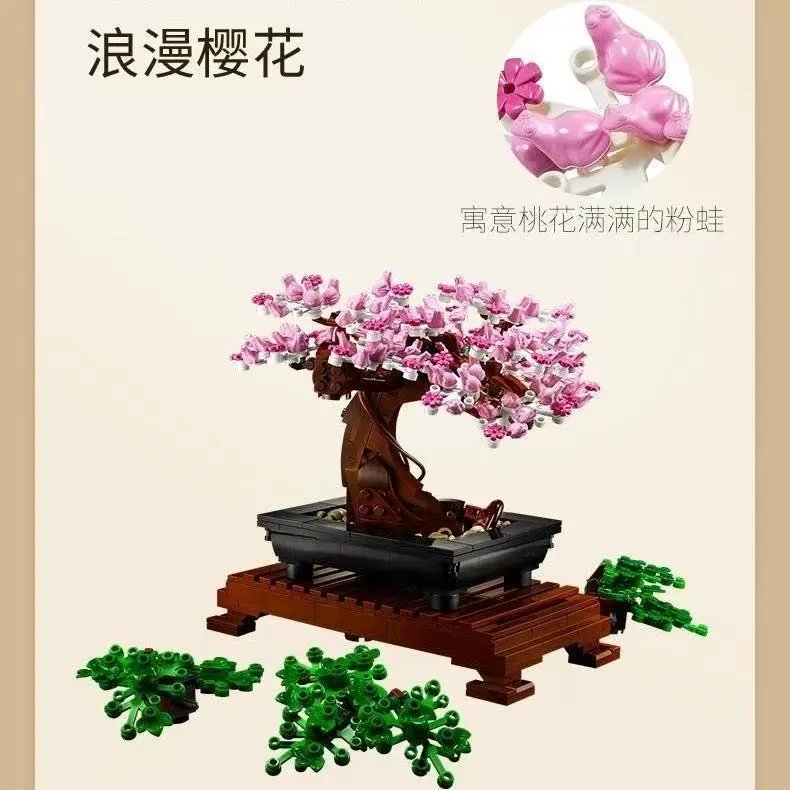
Apply that checklist to the bonsai-tree and wildflower-bouquet building-set page on OG. Its title describes a bundle. Establish whether your selected option contains the combination you want, rather than treating a photo of several finished displays as the contents of every option. A candidate with an unclear contents description should not be ranked above another simply because its image is larger or more polished.
A Nike search still needs a product type
Decide whether you mean shoes, clothing or a bag. Follow the shoe guide for shoe sizing and the hoodies and sweaters guide for layered clothing. Those questions do not establish what a backpack can hold.
Inspect the black-and-pink Nike Elite backpack candidate on OG if a bag is what you are looking for. It is a bag example, not a building-set result or proof of the availability of other Nike products.
For a backpack, compare the dimensions relevant to what you carry and clarify the openings or compartments you need. Exterior dimensions alone do not guarantee that a particular laptop or rigid object fits through an opening. Do not infer load capacity, waterproofing or long-term durability from the product image.
Organise broad clothing searches by the actual garment
For Balenciaga or Burberry searches, record the specific item and version instead of treating all results sharing the name as alternatives. A shirt, jacket and accessory need different measurements and contents checks. Use the T-shirt guide, jacket guide or accessories guide according to the item.
A USFans Balenciaga spreadsheet entry is useful only if it preserves enough information to revisit the intended product. A brand word and an image alone leave the selected version unresolved. The spreadsheet links guide explains how to retain that context.
For Gymshark or other activity-related clothing searches, separate the desired look from any performance requirement. Investigate the applicable garment information; do not assume that a sporting appearance demonstrates comfort or suitability for your intended activity.
Resolve ambiguous names before following a lead
If a saved reference says only “Koala,” identify whether it names a seller, a product or something else in that context. Do not assign ownership or a platform relationship from the word alone. Keep the actual product reference and option attached to the note, and compare the destination before relying on it.
The website guide helps distinguish different kinds of destinations. A product description containing a contact or shop reference does not automatically establish a USFans-operated service.
Ask for evidence that matches the item
For building sets, a contents question needs information about the parts or package, not clothing-style measurements. For a bag, an interior or opening view may answer a question that an exterior logo close-up cannot. For clothing, the selected garment and relevant measurement endpoints matter.
The QC photo guide explains the limits of a visual check. Keep the requested evidence tied to the decision; collecting additional general pictures does not necessarily resolve the missing detail.
Common questions
Are all items in an “other finds” collection comparable?
No. First separate them by product type, then compare exact options within a relevant group.
Does a model photograph prove all components are included?
No. Check the selected purchase contents and resolve any ambiguity about separate parts or display accessories.
Should I keep a vague saved link?
Keep it as a lead only if useful, but do not treat it as a ready-to-order choice until the product and option are identifiable. The USFans spreadsheet guide explains how to carry a clear selection into the order process.